
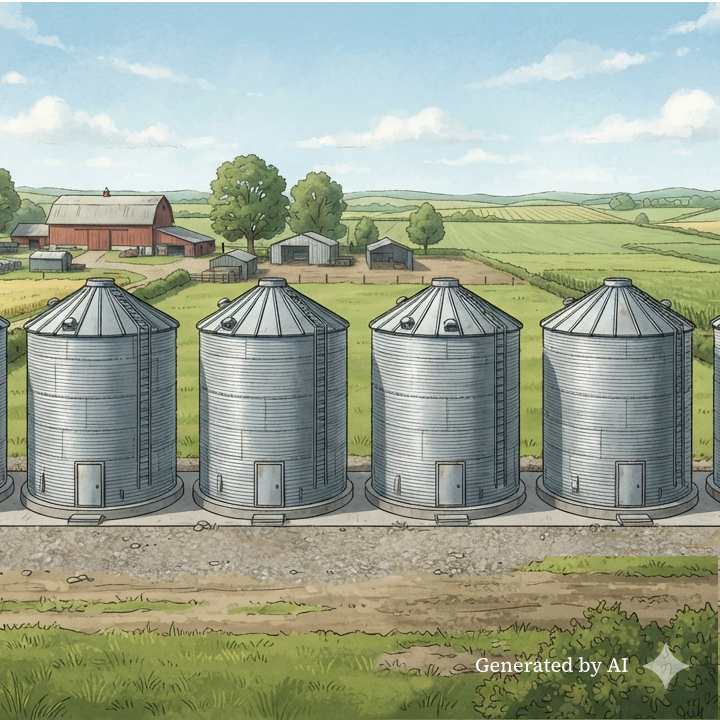
My dad sold concrete silos and grain storage systems for a living. Taller than the ones in the image above, and with flat tops. They’re all over the Midwest and, in one notable case, a silo built by his company was pretty much the only thing left standing when a tornado wiped out a town (scroll through to photo 5).
Silos are protective structures, making sure precious resources aren’t exposed to harmful outside elements.
Silos for farms = good thing.
Silos in knowledge work = good for one slice of the business; obstructive for everyone else.
Teams who are working in a silo are laser-focused on a particular objective or set of work. The silo lets them set up systems that are customized for their needs, and protects them from external noise that would gum up the works. This is why they can be a beneficial choice when teams want to move quickly on a lot of things in parallel.
But silos also block visibility, which has a bunch of other consequences for scalability and collaboration. The folks inside the silo see only their work. Outside, folks see only a wall. This is how peer teams end up with ten different processes that do the same thing. Either no one noticed, or they figured it was less disruptive to keep running the ten processes than try to consolidate.
The right connectors need to be in place to keep an eye on the silos, bridge the gaps, find the overlap, and spot opportunities to share efforts. In theory, we rely on leaders to keep everyone rowing in the same direction, and artifacts like status reports to provide visibility across silos. But let’s be real. When was the last time you saw any of this work the way it was intended?
Now add AI to the mix. From an operational perspective, you’ve got a whole lot more silos to keep track of and coordinate across. You’ve also got to decide how and where to build the silos agents will work in, or whether to silo them off at all. If you want a Jarvis of your own, you’ll have to do what Tony Stark did and give it access to everything.
Everything.
Trade-offs
The concept of siloing has been on my mind because I’m taking a course that will involve setting up a Hermes agent, and I’ll be damned if I let that thing anywhere near my personal files or password vault. So, I’ve got to silo it off, which could add complexity and cost to the project. Oh, and I’m also on Windows, which I’ve learned the hard way is the equivalent of working with one hand tied behind your back when setting up these systems. I’m debating whether to repurpose my travel laptop for the cause (less cost, more complexity) or go the subscription cloud-host route (more cost, probably a fair amount of complexity, too, but better documented).
It was the same when I installed Claude Code/Cowork. I do have that running on my home computer, but restricted to a single folder and with strict guardrails not to delete files without my permission. So far, it hasn’t strayed, but it’s gotten a little too eager to overwrite project files a couple times, and version history was lost. Thus, the human learned to have a backup system in place.
Similar situations in the workplace face the same tradeoffs. Building guardrails and sandboxes adds cost and complexity to the system. But not having silos raises a whole host of security and privacy concerns.
Connectors that provide a bridge across common systems like Outlook, Slack, Google Workspace, Asana, and Jira are probably already built in to your AI tools, and they use your personal credentials to perform tasks on your behalf. It’s one thing to give an agent access to your Slack banter for work purposes, but what if it wants access to all the files on your computer “for context?” What if it needs access to a proprietary silo with ultra-sensitive company data that can’t ever, ever leak? What if it decides it needs to create an account on a different tool outside your system and outside your governance? And what if Todd the New Employee doesn’t know any better and lets it?
It will be impossible to set up guardrails for every potential scenario, and the havoc that could be wreaked is significant. There’s a reason IT departments lock things down.
What’s the worst that could happen?
Agents are here to stay, however, and the access you give them is a matter of risk tolerance.
The bleeding-edge folks will OpenClaw everything, no silos, consequences be damned, because they believe the productivity benefit outweighs the inevitable catastrophe. YOLO, dude!
The rest of us will need to think through some questions first. (Artifact alert: Risk register!)
- What is the absolute most no good, horrible, very bad thing that could happen if you gave the agent full access? Is it recoverable? What’s the potential impact, and how extensive would the fix be? Do you need to have other systems in place first as a backup?
- What’s the least amount of access the agent would need to be effectively autonomous?
- Do you need to restructure data and file systems to silo off the sensitive parts?
- How much can be mitigated through guardrails? What about sandboxes? What would the cost of building or integrating those systems be?
- If the agent were suddenly to turn Bad Actor (say, via a prompt injection attack), is there a way to catch it quickly and/or automate a shutdown?
- Do you need to upskill your team members so they can handle an agent crisis? For example, would they need technical expertise to stop or undo damage? Is there a way to automate this instead?
- Could you silo off different sub-agents, each with their own narrowly focused access, and use a separate orchestrator, AI or human, to connect the dots?
There’s a lot of system design here, and a lot of technical system design in particular. You’ve got to do the homework, though, and it might involve going deep into a maze you never had to think about much.
Lean on the AI experts on your team, and if you don’t have any yet, you might have to seek outside help. This is not what you want to experiment with, unless you’re certain you’ve got a very safe sandbox to do it in.
YOLO, dude.
All opinions here are my own. All text is my own, too, including the em dashes. I welcome constructive comments and discussion on LinkedIn and Bluesky.